
Divide (Calc) 3
Overview
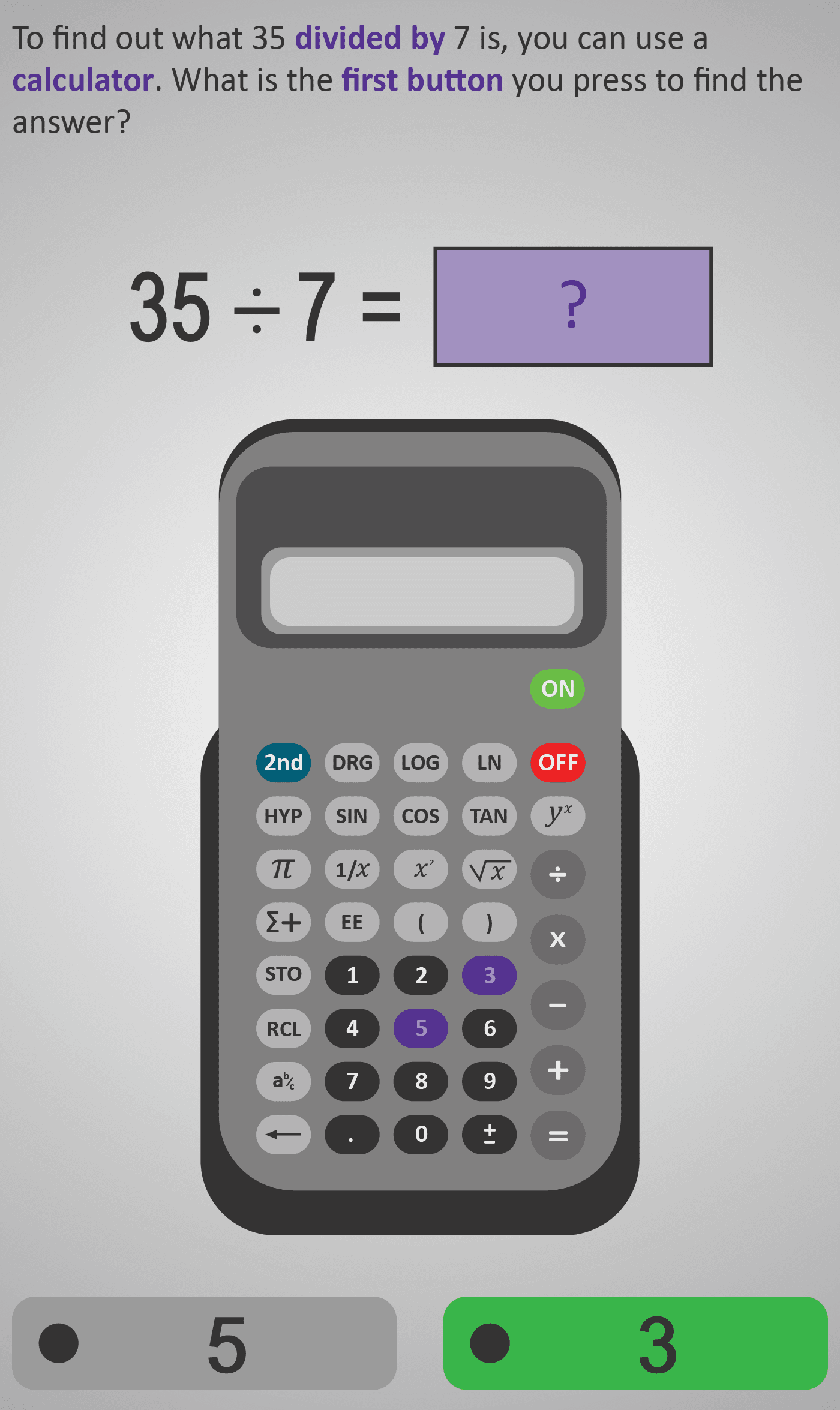
In this Phlow, learners are introduced to the step-by-step process of dividing numbers using a calculator. The example 35 ÷ 7 is broken down into individual button presses to reinforce both conceptual understanding (what division means) and procedural fluency (how to carry it out correctly on a calculator).
The sequence begins with identifying the first number to input (“35”), followed by selecting the division key (÷), then the second number (“7”), and finally pressing equals (=) to reveal the answer. Each step highlights the correct button on the calculator, helping learners visualise the process and practise accurate calculator use.
By completing this Phlow, students not only understand the order of operations for calculator division but also gain confidence using technology for basic arithmetic. The use of realistic calculator visuals bridges the gap between digital interaction and real-life problem-solving.
Prerequisite Knowledge Required
- Divide 3A – Understanding Division as Sharing.
- Divide 2B – Division Facts.
- Multiply (Calc) 3 – Using a Calculator for Multiplication.
- Basic understanding of division (e.g. “how many times does 7 go into 35?”).
- Ability to identify and use calculator buttons (numbers, operation keys, equals).
- Understanding the correct order in which to enter calculations.
Main Category
Number Operations & Calculator Skills
Estimated Completion Time
Approx. 8–10 seconds per question (30 questions total). Total Time: 4–5 minutes.
Cognitive Load / Step Size
Low — each question focuses on a single calculator action (pressing one button or identifying the next input). The scaffolded sequence ensures clarity and confidence as learners build procedural fluency step by step.
Language & Literacy Demand
Low — the Phlow uses clear, simple prompts (“Press the divide button,” “What comes next?”). Key instructional words like divide, first, next, and equals are reinforced with visual cues. Minimal reading is required — learners follow through observation and interaction.
Clarity & Design
- Consistent calculator imagery is used throughout, with colour highlights showing the next step.
- The top equation mirrors what’s displayed on the calculator screen for visual reinforcement.
- Animations simulate real button presses to reinforce motor and visual memory.
- Clean design and large buttons make the process intuitive and engaging.
Curriculum Alignment
Irish Junior Cycle Mathematics:
- Strand 1 – Number
- Strand 2 – Statistics & Probability (Technology Integration)
- Learning Outcomes:
- Perform division accurately using a calculator.
- Understand and follow correct operation sequences.
- Use technology effectively to verify mathematical results.
Engagement & Motivation
Moderate to High — students enjoy the interactive, game-like challenge of pressing the correct buttons in order. The Phlow mirrors real calculator use, giving learners a practical and relevant skill they can immediately apply.
Error Opportunities & Misconceptions
- Reversing the order of numbers (inputting 7 ÷ 35 instead of 35 ÷ 7).
- Pressing the wrong operator key (× instead of ÷).
- Forgetting to press equals (=) to complete the operation.
- Misreading or not clearing the calculator screen between entries.
The Phlow addresses these through immediate visual feedback and corrective prompts, ensuring mastery before progression.
Transferability / Real-World Anchoring
High — this Phlow mirrors everyday calculator use, developing skills used in finance, exams, and work environments. It also builds a foundation for handling more complex calculations like fractions, percentages, and decimals.
Conceptual vs Procedural Balance
Procedural focus with conceptual reinforcement — students learn the physical and logical process of calculator division while connecting it to the underlying idea of “sharing” or “grouping” in division.
Learning Objectives Addressed
- Identify and press calculator buttons in correct order for division.
- Understand how to represent division notation on a calculator.
- Recognise the purpose of the equals key in completing operations.
- Develop accuracy and confidence in using calculators for division tasks.
What Your Score Says About You
- Less than 5: You may be mixing up the order of inputs — follow the on-screen guidance carefully.
- 6–7: You understand the sequence — practise pressing the operator and equals keys deliberately.
- 8–9: You can perform calculator division accurately and efficiently.
- 10 / 10: Excellent! You can use a calculator with precision and confidence — ready to apply it to decimals and larger numbers next.