
Subtraction (Calculator) 3
Overview
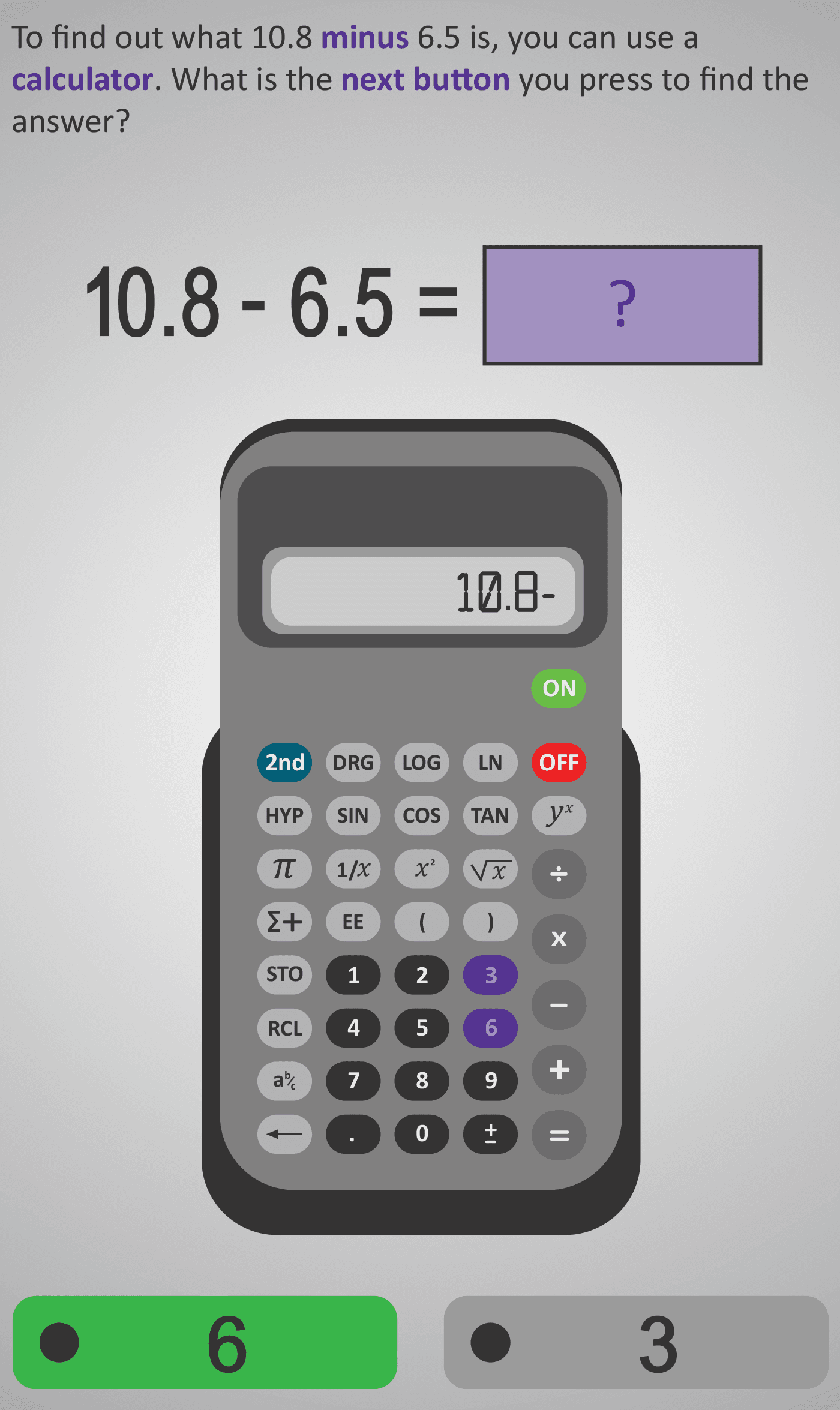
In this Phlow, learners practise performing subtraction with decimal numbers using a calculator. They are guided through each stage — entering the first number, pressing the subtraction symbol, entering the second number with a decimal point, and finally pressing equals to find the result.
The example 10.8 − 6.5 is used to illustrate the process. Students focus on understanding how the decimal point works on a calculator and how to ensure each value is entered correctly.
Each screen isolates a single calculator action, allowing learners to process one logical step at a time. This sequence helps prevent common errors such as skipping the decimal point or reversing the operation. By the end, learners gain confidence using calculators for decimal subtraction and strengthen their understanding of how subtraction connects to real-world contexts — such as calculating change, differences in measurements, or time intervals.
Prerequisite Knowledge Required
- Understanding place value and decimal notation (tenths).
- Familiarity with the concept of subtraction as finding a difference.
- Awareness of calculator layout — digits, decimal point, operation, and equals keys.
- Prior completion of:
- Subtraction (Calculator) 1 – Whole numbers
- Subtraction (Calculator) 2 – Subtracting decimals with tenths introduced
Main Category
Number Operations / Calculator Skills
Estimated Completion Time
Approx 10–12 seconds per question — 30 questions total — 5–6 minutes overall.
Cognitive Load / Step Size
Low to Moderate. Each question isolates a single calculator action (number, symbol, or decimal). The gradual pacing reduces error likelihood and strengthens sequencing memory, ideal for building procedural fluency.
Language & Literacy Demand
Low. Sentences are concise and directive (“Press the decimal point next”). The mathematical terms minus, decimal point, and equals are reinforced with visual and positional cues on the calculator.
Clarity & Design
- Calculator display mirrors real-device layout for authenticity.
- The highlighted key draws focus to each required action.
- Use of colour (purple for numbers, green for correct options) provides consistent visual scaffolding.
- Learners receive immediate reinforcement of correct sequence.
Curriculum Alignment
Strand: Number
Strand Unit: Operations
- Carry out calculations with decimals using appropriate tools.
- Use technology accurately and efficiently to perform number operations.
- Connect subtraction of decimals to place value understanding.
- (Aligned with Junior Cycle Mathematics Learning Outcomes 2.7 and 2.8.)
Engagement & Motivation
High. Students enjoy the immediate, game-like feedback and the clear sense of progress as each key press leads to the final correct answer. This sequence supports mastery and confidence in a practical, real-world skill.
Error Opportunities & Misconceptions
- Forgetting to press the decimal point.
- Mixing up the order of subtraction (reversing operands).
- Pressing “–” twice or omitting it.
- Confusing the minus and negative keys.
The scaffolded steps and real-time visual feedback reduce these errors through repetition and clarity.
Transferability / Real-World Anchoring
Strong. Decimal subtraction underpins financial literacy, measurement, and science contexts. The Phlow helps learners apply calculator skills to everyday tasks such as calculating change, comparing distances, or adjusting quantities.
Conceptual vs Procedural Balance
Procedural: Strong emphasis on correct calculator entry sequence.
Conceptual: Reinforces the link between decimal subtraction and real-world quantities.
Together, they create confident, accurate calculator users who also understand the meaning behind the operation.
Learning Objectives Addressed
- Subtract two decimal numbers using a calculator.
- Sequence inputs correctly using the keypad and display.
- Recognise and use the decimal point appropriately.
- Check results for reasonableness (e.g., 10.8 − 6.5 ≈ 4).
What Your Score Says About You
- Below 15: Revisit how to enter decimals and check subtraction order. Practise with smaller steps.
- 16–22: Good calculator control — focus on decimal accuracy.
- 23–29: Excellent accuracy and speed. You’re ready for mixed-operation calculations.
- 30 / 30: Perfect! You can now progress to Calculator 4, involving multi-step operations and problem contexts.