
Calculator 4
Overview
This Phlow strengthens students’ confidence and precision when using a scientific calculator to perform arithmetic and algebraic operations. Each screen isolates a single process — from basic addition to more advanced functions such as squaring and taking square roots — ensuring clear understanding of both sequence and purpose.
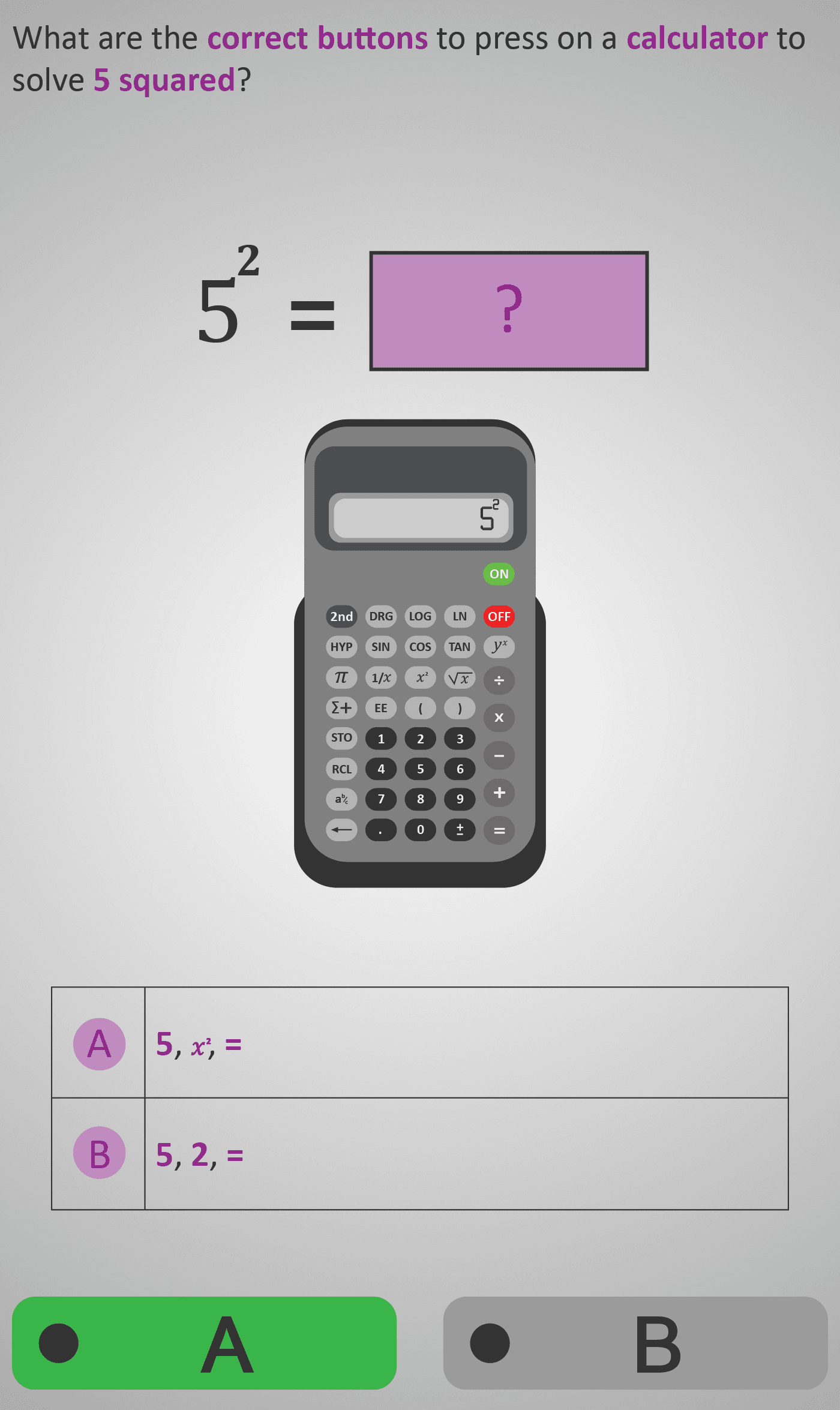
Learners see how symbolic notation (e.g. √49 or 5²) corresponds directly to calculator keystrokes. The step-by-step guidance builds familiarity with calculator displays, reinforcing that these tools are not shortcuts but aids for accurate mathematical reasoning.
- Practise entering and evaluating expressions using correct key order.
- Connect written mathematical notation with calculator symbols and displays.
- Develop procedural fluency through consistent button-sequence practice.
- Strengthen understanding of squares, roots, and decimal operations.
The Phlow bridges mental arithmetic and calculator-based problem solving, preparing learners for real-world and exam contexts where efficiency and accuracy are equally essential.
Prerequisite Knowledge Required
- Understanding of addition, subtraction, multiplication, and division.
- Awareness of exponents (squares) and roots (square roots).
- Familiarity with decimal numbers and order of operations.
- Ability to interpret calculator displays and check reasonableness of results.
Linked Phlows
- Calculator 3B – Introduction to Calculator Use
- Multiply Decimals 3B – Decimal Operations
- Square Numbers 3C – Exponents
- Square Roots 3D – Understanding Roots
Main Category
Number → Operations & Technology → Calculator Skills
Estimated Completion Time
Approx. 8–12 seconds per question. 30 questions total (4–6 minutes).
Cognitive Load / Step Size
Low–Medium. Each task isolates one type of operation, minimising cognitive load while encouraging precision. The gradual sequence — addition → subtraction → multiplication → division → squaring → square root — keeps complexity increasing in manageable steps.
Language & Literacy Demand
Low. Instructions use concise, action-based language such as “press”, “solve”, and “enter”. Symbols (+, −, ×, ÷, x², √x) are shown alongside words for clarity. Colour-coding and bold emphasis reduce text dependency.
Clarity & Design
- Realistic calculator graphic shows both keystrokes and display output.
- Purple highlighting directs attention to the active button or operation.
- Layout mirrors the design of standard classroom calculators for immediate transferability.
- Sequential visual flow clarifies correct key order and operator placement.
Curriculum Alignment
Strand: Number
Learning Outcomes:
- 1.5 — Use appropriate technology (including a calculator) to perform numerical operations accurately.
- 1.6 — Understand and use square and square root operations.
- 1.8 — Perform operations with decimals in practical contexts.
(Aligned with Irish Junior Cycle Mathematics – Strand 1)
Engagement & Motivation
The Phlow’s interactive keystroke format transforms calculator use into a hands-on learning puzzle. Students receive instant visual feedback as they match expressions to results, fostering both confidence and enjoyment in accurate computation.
Error Opportunities & Misconceptions
- Entering operations in the wrong order (e.g. 8 × 869 instead of 869 × 8).
- Forgetting to press the equals (=) key before reading the result.
- Misplacing decimals or negative signs.
- Confusing square (x²) with square root (√x).
Visual step-by-step correction ensures students identify and understand their mistakes in real time.
Transferability / Real-World Anchoring
Strong. Calculator fluency is essential in practical fields — from finance, science, and engineering to everyday budgeting. This Phlow builds confidence in translating symbolic reasoning into digital accuracy.
Conceptual vs Procedural Balance
Procedural with conceptual mapping. Learners practise keystrokes while reinforcing the underlying meaning of mathematical notation, encouraging them to predict outcomes before pressing “=”.
Learning Objectives Addressed
- Execute correct calculator keystrokes for core operations.
- Translate symbolic notation into calculator input and output.
- Reinforce understanding of exponents, roots, and decimals.
- Develop efficiency, precision, and confidence in calculator use.
What Your Score Says About You
- Below 20: You understand the operations but may mix up key sequences or forget steps.
- 21–29: You can perform standard calculations but occasionally enter numbers in the wrong order.
- 31–39: You use the calculator confidently across all functions.
- 40 / 40: Mastery — you’ve achieved calculator fluency and are ready for advanced algebra and statistics.