
Divide (Calculator) 4
Overview
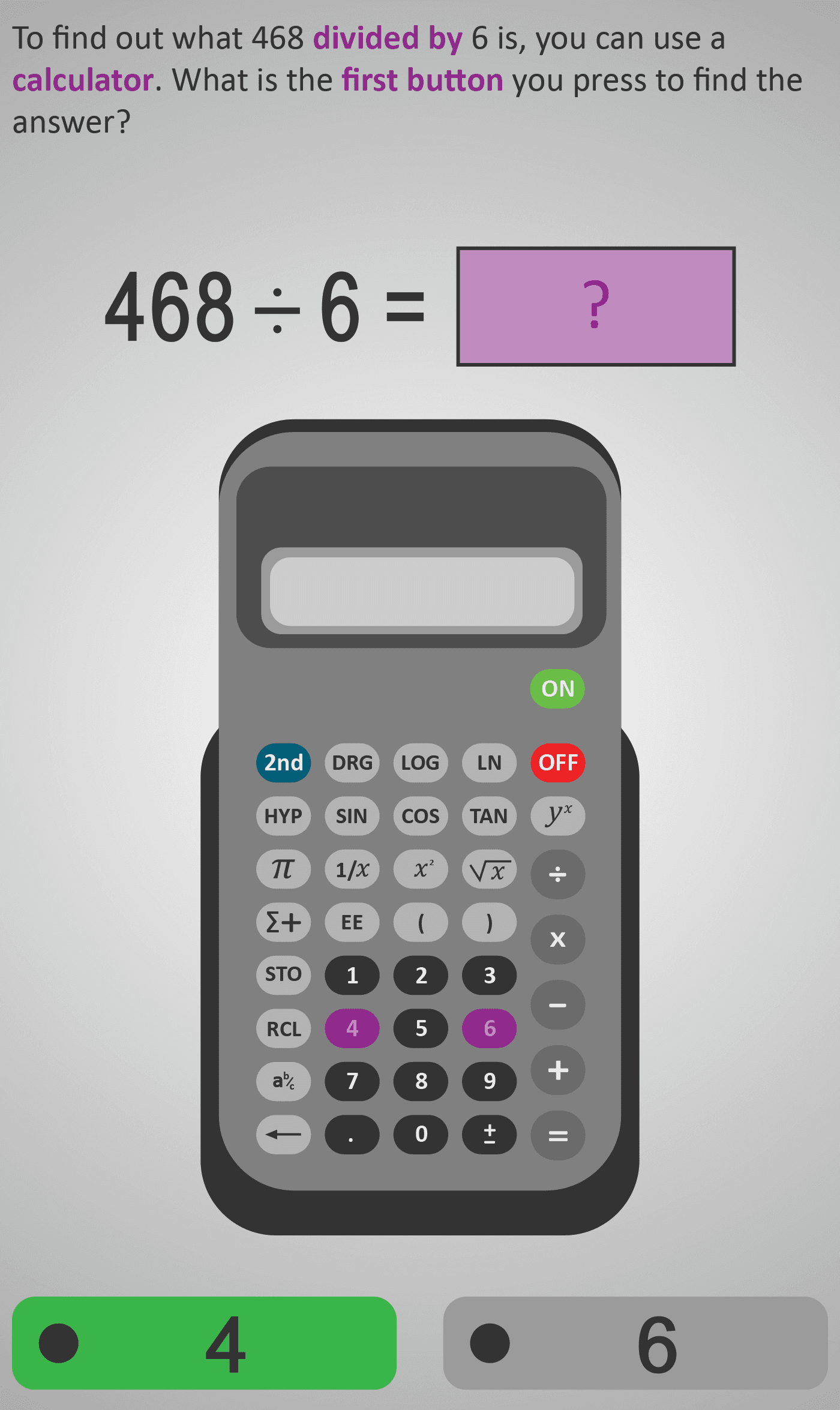
In this Phlow, learners are guided through the exact sequence of calculator buttons needed to solve a division problem. Using the example 468 ÷ 6, students identify the correct number keys, locate and use the division symbol, and press equals to reveal the result.
Each step reinforces calculator literacy — understanding that division splits a total into equal parts and that accuracy depends on pressing keys in the correct order. The activity builds independence and confidence in both arithmetic reasoning and calculator skills.
By following the structured prompts, learners combine number sense with digital fluency, preparing to handle multi-digit division efficiently and with understanding.
Example Sequence
- Press
4,6,8. - Press
÷. - Press
6. - Press
=to display 78. - Sense-check: "Does 6 × 78 = 468?"
Learners practise similar examples with increasing values to strengthen procedural fluency while maintaining clear structure and understanding of what division represents.
Prerequisite Knowledge Required
- Understanding of what division represents (equal sharing or grouping).
- Familiarity with basic multiplication and division facts.
- Recognition of the divide (÷) and equals (=) symbols.
- Basic calculator handling (turning it on, entering numbers, reading the screen).
Main Category
Number → Division and Calculator Fluency
Estimated Completion Time
| Learner Profile | Estimated Time | Description |
|---|---|---|
| One Level Below | 6–8 minutes | May need to repeat examples and check input sequences carefully. |
| At Level | 4–5 minutes | Can follow calculator steps with minimal guidance. |
| One Level Above | 2–3 minutes | Confidently applies process and self-checks results. |
Cognitive Load / Step Size
Low to Moderate. Each screen isolates a single key press or step, ensuring students focus on accuracy rather than complex computation. Cognitive demand lies in maintaining correct input order rather than heavy calculation.
Language & Literacy Demand
Low. Instructions are concise and action-based (“press divide,” “press equals”). Icons and visual button cues reduce reading load, keeping attention on symbol recognition and operation flow.
Clarity & Design
- High visual clarity — mirrors the physical calculator layout.
- Sequential key highlighting and clear arrows guide attention.
- Animations show the input sequence (numbers → ÷ → numbers → =).
- Consistent use of purple highlight for active keys and results.
Curriculum Alignment (ROI Junior Cycle Mathematics)
- Strand: Number
- Strand Unit: Operations – Division and Digital Fluency
- Learning Outcomes:
- Use a calculator correctly to carry out a division problem.
- Identify and press the correct keys in sequence.
- Interpret the displayed result as a quotient.
- Relate calculator-based division to manual or mental division strategies.
Engagement & Motivation
Strong. Students find satisfaction in instant, accurate feedback from the calculator. The Phlow emphasises independence — presenting the calculator as a helpful tool rather than a shortcut.
Error Opportunities & Misconceptions
- Pressing buttons in the wrong order (e.g. 6 ÷ 468 instead of 468 ÷ 6).
- Confusing division with subtraction or multiplication.
- Misreading calculator display or ignoring decimals.
- Forgetting to press
=to complete the operation.
Transferability / Real-World Anchoring
Strong. Students link calculator division to practical uses — splitting bills, dividing time or distances, calculating averages — developing both digital fluency and problem-solving confidence.
Conceptual vs Procedural Balance
Procedural with conceptual grounding. The focus is on mastering key order, but prompts remind learners that division represents equal grouping — maintaining meaning alongside fluency.
Learning Objectives Addressed
- Identify and use the divide (÷) and equals (=) keys correctly.
- Perform division problems using a calculator.
- Understand the order of calculator inputs (number → divide → number → equals).
- Relate calculator-based division to mental and written methods.
What Your Score Says About You
- Below 20: You may be pressing keys in the wrong order — revisit the input sequence carefully.
- 21–29: You can perform simple calculator division but sometimes miss steps (like pressing equals).
- 31–39: You are accurate and consistent — calculator fluency is strong.
- 40 / 40: You’ve mastered calculator-based division — precise, confident, and ready for real-world applications.