
Squared 4
Overview
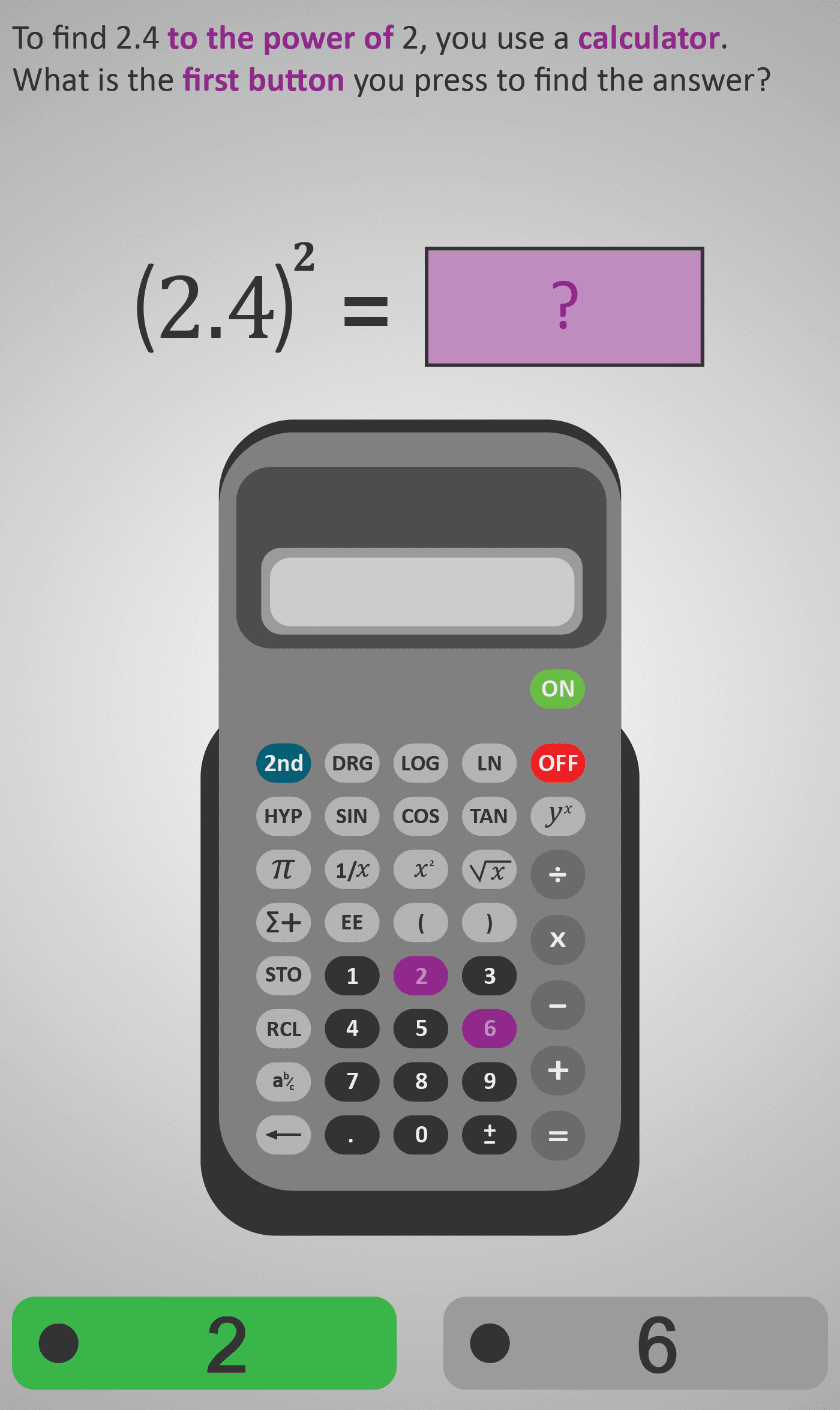
This Phlow builds confidence using the x² key on a calculator to find squares of decimal numbers. Students practise entering values such as 2.4², following each step precisely — entering the number, pressing x², and then = to view the result.
The step-by-step animation mirrors the real calculator display, showing the process of finding (2.4)² = 5.76. Through repetition and visual cues, learners develop accuracy and procedural fluency while deepening their conceptual understanding of squaring as “a number multiplied by itself.”
Worked Example
Expression: (2.4)²

Step 1: Enter 2 → . → 4
Step 2: Press x²
Step 3: Press =
Result: 5.76
Step Sequence
- Recognise that “squared” means multiply a number by itself.
- Enter the given decimal number carefully using the decimal point.
- Press the x² button to square the number.
- Press = and read the answer on the display.
- Check whether the answer seems reasonable (e.g., 2² = 4, so 2.4² ≈ 5.76).
Sample Prompts
- Which calculator button is used for squaring?
- What happens when you square 2.4?
- Why is 5.76 reasonable as a result?
Why This Matters
Squaring decimals appears in real-world contexts such as area calculation, speed formulas, and finance. Mastering this operation ensures students can apply the concept confidently across all future mathematical domains.
Prerequisite Knowledge Required
- Understanding that squaring means multiplying a number by itself.
- Familiarity with decimals and place value.
- Basic calculator skills — entering digits, decimals, and using function keys.
- Understanding that squaring occurs before addition/subtraction in order of operations.
Linked Phlows:
Squared 3A – Squaring Whole Numbers,
Decimal Multiplication 3B – Multiplying with Decimals,
Order of Operations 3A – BODMAS.
Main Category
Arithmetic (Number & Algebraic Thinking)
Estimated Completion Time
Approx. 10–14 seconds per question.
40 questions total → Total time: 7–10 minutes.
Cognitive Load / Step Size
Low to moderate. Each step adds one small input — number entry, key press, or verification — keeping transitions clear and predictable. This pacing supports confidence-building and error-free execution.
Language & Literacy Demand
Low. Minimal reading required. Instructions are direct and visual, with key calculator symbols highlighted in colour for instant recognition.
Clarity & Design
- Large calculator diagrams show which button to press next.
- Purple highlights and realistic display animations aid comprehension.
- Clean, minimal design keeps focus on the mathematical process.
Curriculum Alignment (ROI Junior Cycle Mathematics)
- Strand: Number
- Learning Outcome N4: Use a calculator to evaluate powers of numbers (including decimals) and interpret their meaning in context.
Engagement & Motivation
Learners find the key-by-key animation interactive and rewarding. Immediate multiple-choice feedback creates a sense of progress and mastery. The realistic calculator simulation adds tactile engagement.
Error Opportunities & Misconceptions
- Entering 24 instead of 2.4 (decimal error).
- Forgetting to press x² before =.
- Confusing x² with yx (general power key).
Transferability / Real-World Anchoring
High. Squaring decimals is fundamental to calculating areas, physics equations, and financial growth formulas. Students see immediate relevance to practical problem-solving.
Conceptual vs Procedural Balance
Procedural focus with conceptual reinforcement. The process highlights how squaring operates visually and numerically, deepening understanding while developing calculator fluency.
Learning Objectives Addressed
- Perform squaring operations on whole and decimal numbers.
- Use the x² button correctly on a calculator.
- Interpret squared results and judge reasonableness.
- Develop fluency for later algebraic applications.
What Your Score Says About You
- Less than 20: You may be missing or misordering calculator steps — practise the x² sequence carefully.
- 21–29: You understand squaring but need consistency entering decimals.
- 31–39: You’re accurate and efficient, with small input slips only.
- 40 / 40: Excellent mastery — ready to apply squaring in area, Pythagoras, and algebraic problems.