
Square Root 4A
Overview
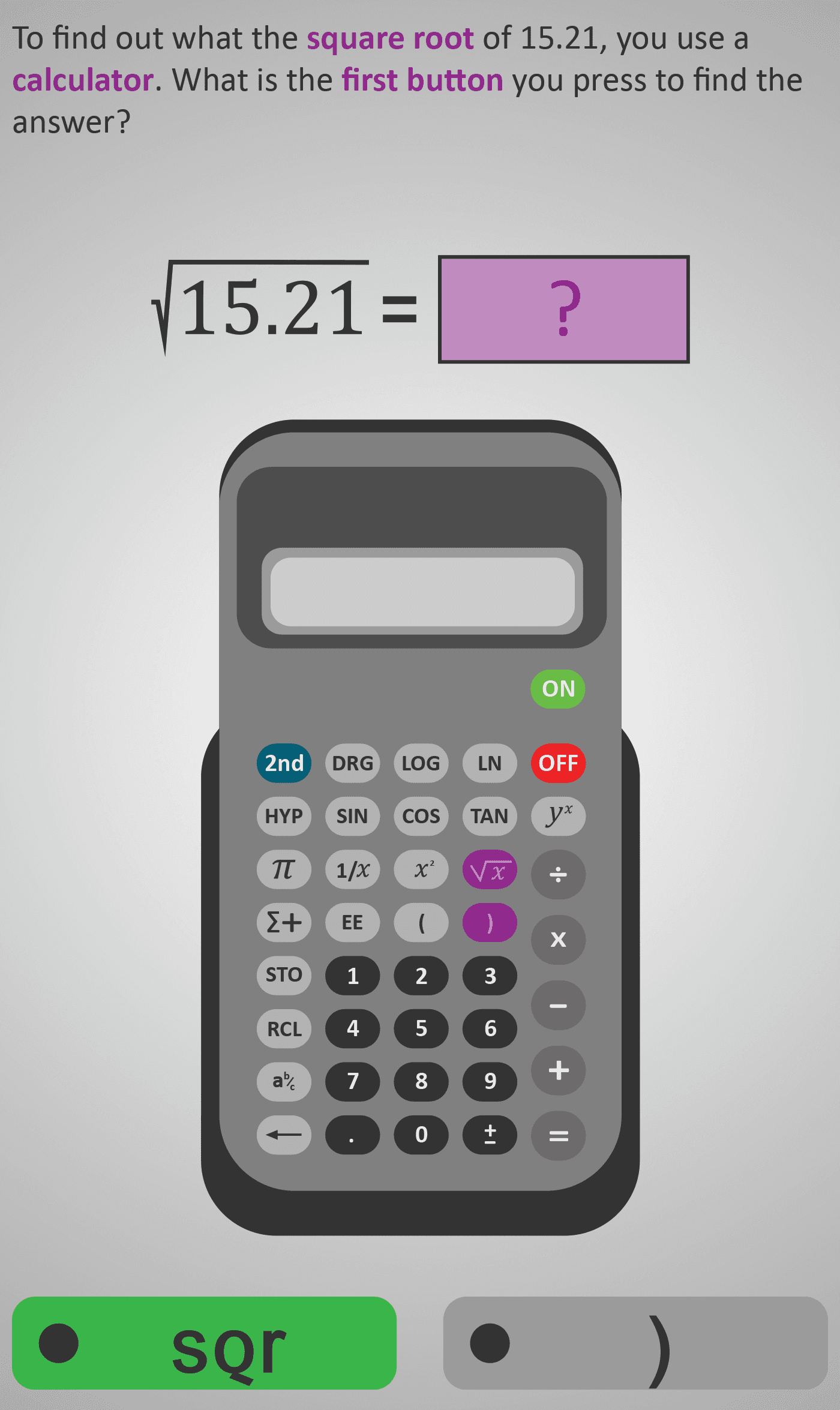
This Phlow introduces the square root operation and demonstrates how to calculate it step-by-step using a calculator. Students begin with the expression √15.21 and follow a clear, visual sequence of key presses to find that √15.21 = 3.9.
By simulating real calculator use, learners reinforce both procedural accuracy and conceptual understanding of what a square root represents — the number that, when squared, produces the original value. The sequence concludes with a reasoning task comparing 3.9 and 0.39, encouraging sense-checking and estimation.
Worked Example
Expression: √15.21

Step 1: Press √
Step 2: Type 1, 5, ., 2, 1
Step 3: Press =
Answer: 3.9
Step Sequence
- Recognise the square root symbol (√) and what it represents.
- Locate and press the √ button on the calculator.
- Enter the given number (15.21) carefully using the decimal point.
- Press = to display the result.
- Decide which answer makes sense (3.9 or 0.39).
Sample Prompts
- Which calculator button is used for a square root?
- What happens when you press √ then enter 15.21?
- Why does √15.21 = 3.9 make more sense than 0.39?
Why This Matters
Understanding square roots is key for reversing area and power calculations in geometry, algebra, and science. Mastery of calculator-based square roots helps students transition from estimation to precision reasoning.
Prerequisite Knowledge Required
- Recognise that squaring and square rooting are inverse operations.
- Identify perfect squares (e.g., 4, 9, 16, 25) and estimate roots of nearby values.
- Use a calculator for basic operations, decimals, and the equals key.
- Understand that √ produces only the positive root in this context.
Linked Phlows:
Squares 3B – Squaring Numbers,
Multiplication Facts 3 – Times Tables,
Calculator Skills 3A – Basic Key Use.
Main Category
Number & Arithmetic
Estimated Completion Time
Approx. 10–14 seconds per question.
40 questions total → Total time: 7–10 minutes.
Cognitive Load / Step Size
Very low incremental load. Each screen isolates one small action — one button press or one reading step — keeping the task accessible and confidence-building. This structure supports automaticity without distraction.
Language & Literacy Demand
Low. Sentences are short and paired with clear calculator visuals. Keywords such as square root, calculator, and button are highlighted to cue meaning. Learners can follow visually without heavy reliance on reading comprehension.
Clarity & Design
- Calculator keys are colour-coded and highlighted in sequence.
- Display updates replicate real calculator feedback.
- Text layout and colour hierarchy reinforce step order and focus.
- Design prioritises precision and comprehension over decoration.
Curriculum Alignment (ROI Junior Cycle Mathematics)
- Strand: Number
- Learning Outcome: Use a calculator to perform operations including finding squares, square roots, and powers, and interpret results appropriately.
Engagement & Motivation
The hands-on, screen-by-screen calculator sequence provides immediate feedback and satisfaction. Learners experience authentic practice mirroring real calculator use, reinforcing procedural fluency.
Error Opportunities & Misconceptions
- Pressing x² instead of √.
- Entering digits in the wrong order or missing the decimal point.
- Reading 0.39 instead of 3.9 as the correct scale.
- Assuming negative numbers have real square roots.
Transferability / Real-World Anchoring
Highly transferable. This operation appears in geometry (finding side lengths), physics (velocity and energy equations), and day-to-day reasoning about scale or measurement.
Conceptual vs Procedural Balance
Procedural focus with conceptual reinforcement. The emphasis is on learning how to find square roots accurately using a calculator, followed by sense-checking to connect meaning with magnitude.
Learning Objectives Addressed
- Identify the square root symbol (√) and interpret its meaning.
- Use a calculator correctly to find square roots of decimals.
- Relate squares and square roots as inverse operations.
- Evaluate which answer makes sense based on number size.
What Your Score Says About You
- Less than 20: You may mix up the square and square root buttons — review calculator layout.
- 21–29: You understand the process but sometimes enter digits incorrectly.
- 31–39: You’re accurate and confident with minor rounding slips.
- 40 / 40: Excellent — you’ve mastered calculator use and the concept of square roots.