
Sub (Calc) 4
Overview
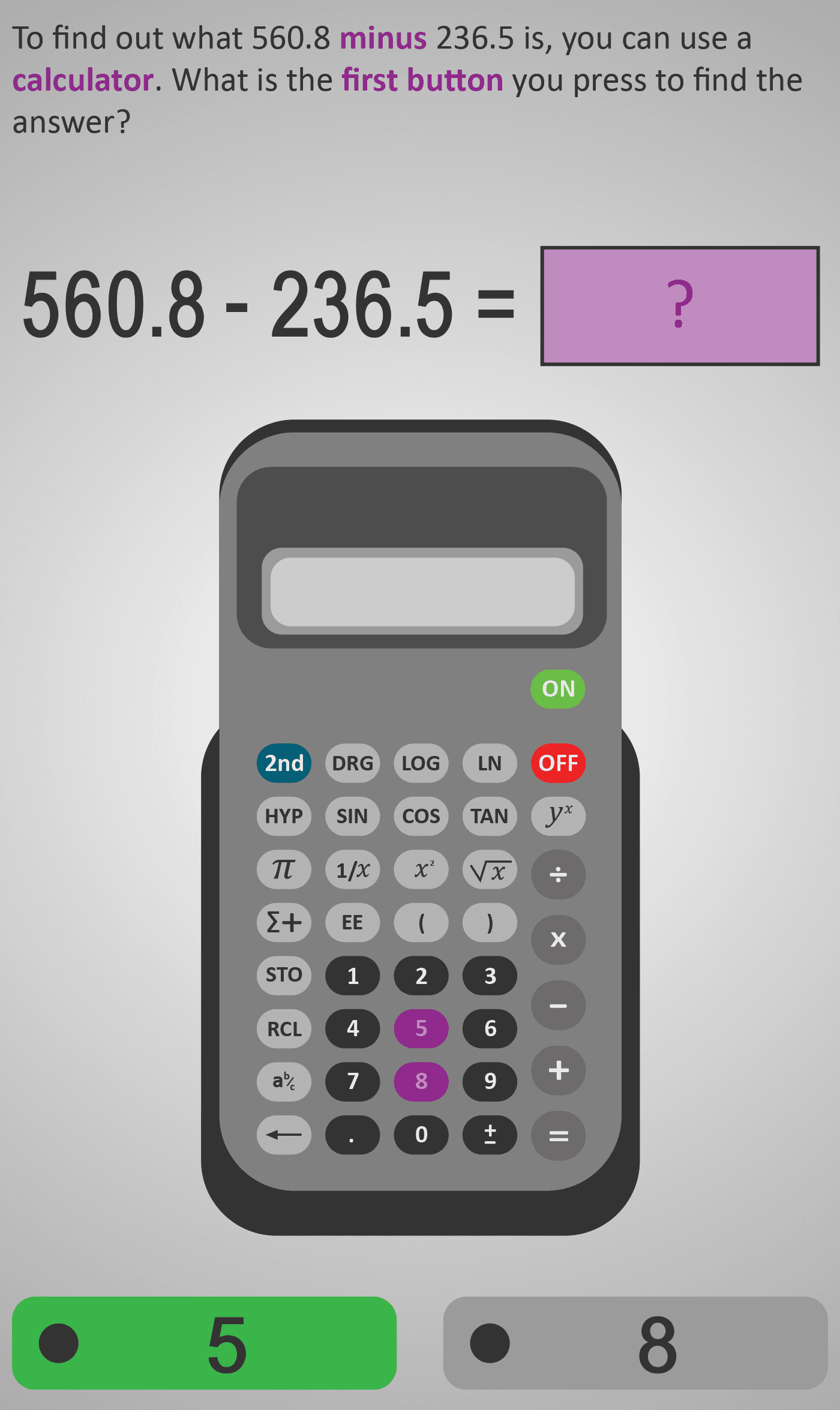
This Phlow teaches students how to perform decimal subtraction accurately on a calculator. Learners are guided through each keystroke — entering the first number, pressing the minus (−) key, typing the second number, and finally pressing equals (=) to see the result.
The worked example uses 560.8 − 236.5, allowing students to see how each key press corresponds to the written operation. Each question isolates one small action, helping learners focus on accuracy and decimal placement while following a predictable sequence. Estimation steps reinforce number sense and reasonableness checking.
Worked Example
Expression: 560.8 − 236.5

Step 1: Enter 560.8
Step 2: Press −
Step 3: Enter 236.5
Step 4: Press =
Result: 324.3
Step Sequence
- Enter the first number (560.8).
- Press the minus (−) button.
- Enter the second number (236.5).
- Press equals (=) to calculate the result.
- Estimate to check: 560 − 240 ≈ 320 — the answer 324.3 makes sense.
Sample Prompts
- What comes after entering 560.8?
- Which button represents subtraction?
- Why should you estimate before pressing = ?
- Which answer seems reasonable — 32.43 or 324.3?
Why This Matters
Decimal subtraction is used constantly in daily life — from shopping to finances and measurements. This Phlow helps learners gain the confidence to handle decimals digitally while reinforcing logical checking of results through estimation.
Prerequisite Knowledge Required
- Understanding of decimal place value (tenths and hundredths).
- Ability to perform subtraction with smaller numbers mentally.
- Familiarity with calculator keys and display reading.
- Understanding how estimation helps check results.
Linked Phlows:
Subtraction 3A – Subtracting Whole Numbers,
Decimals 3B – Place Value in Decimals,
Estimation 3C – Checking Reasonableness.
Main Category
Arithmetic / Number Operations
Estimated Completion Time
Approx. 10–14 seconds per question.
40 questions total → Total time: 7–10 minutes.
Cognitive Load / Step Size
Low. Each question focuses on a single calculator step — entering a number, pressing an operation, or reading the display. This small-step approach prevents overload and ensures strong procedural fluency.
Language & Literacy Demand
Minimal. Instructions are concise and reinforced by clear calculator visuals. Learners can follow without heavy reading demands, making it accessible for all ability levels.
Clarity & Design
- Realistic calculator interface mirrors physical device layouts.
- Purple highlight indicates which button to press next.
- Mathematical notation (560.8 − 236.5) displayed alongside visual action.
- Clean layout ensures full attention on process, not decoration.
Curriculum Alignment (ROI Junior Cycle Mathematics)
- Strand: Number
- Learning Outcome: Use a calculator to carry out operations with whole numbers and decimals, interpret results, and check them by estimation.
Engagement & Motivation
The familiar calculator interaction feels authentic and rewarding. Students gain immediate feedback from seeing their calculated answer and verifying it through estimation — reinforcing both confidence and curiosity.
Error Opportunities & Misconceptions
- Misplacing decimals when entering numbers.
- Pressing + instead of − by mistake.
- Forgetting to press equals before checking the display.
- Not cross-checking results for reasonableness.
Transferability / Real-World Anchoring
Strong. Skills apply directly to real-world problem-solving — comparing prices, calculating balances, and measuring differences in decimals.
Conceptual vs Procedural Balance
Procedural focus with conceptual reinforcement through estimation. Students develop fluency in the calculator process while strengthening number sense.
Learning Objectives Addressed
- Perform decimal subtraction accurately using a calculator.
- Follow and memorise the correct key sequence for subtraction.
- Check reasonableness of results using estimation.
- Build digital fluency in everyday number operations.
What Your Score Says About You
- Less than 20: You may be pressing keys out of order — slow down and follow each step carefully.
- 21–29: You understand subtraction but occasionally mistype or misplace decimals.
- 31–39: You’re accurate and consistent with minor input slips.
- 40 / 40: Excellent mastery — confident with calculator-based subtraction and ready for multi-step operations.