


What is a Phlow?
A Phlow is a single designed decision that reduces friction and gradually builds mastery learning.

Inside a Phlow
A Phlow is a single, intentional cognitive decision on the path to mastery.
Rather than asking students to solve large problems all at once, Phlow Academy breaks learning into small, manageable decisions.
Each decision is designed to sit within the learner’s current ability, keeping challenge and understanding in balance. Progress happens one decision at a time, but always with momentum.
Colour and Difficulty
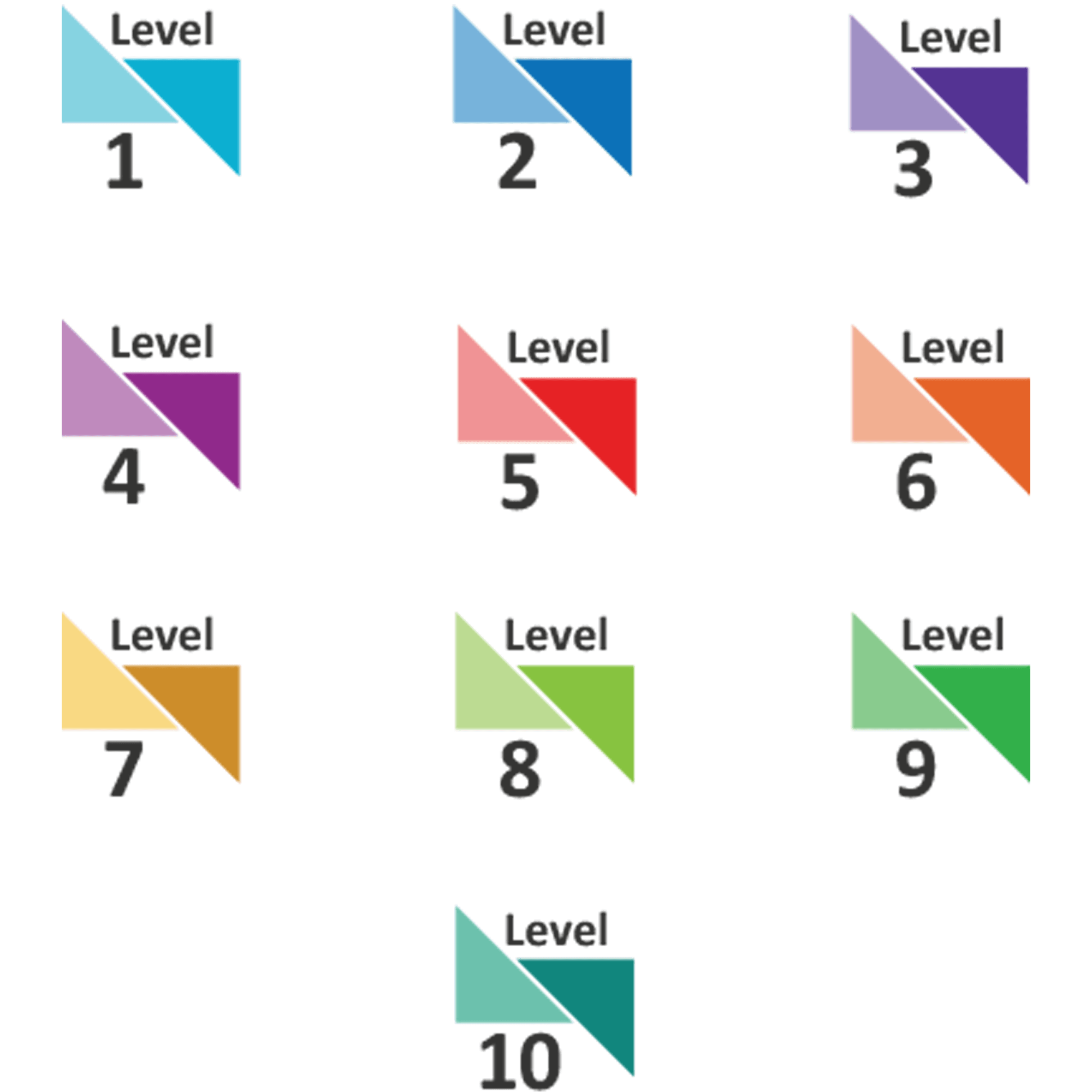
Phlows use colour to indicate difficulty level.
Each level has a consistent visual identity, allowing students to recognise the challenge they are working at instantly, without needing to interpret labels or instructions.
Colour acts as a subtle cue rather than an instruction, supporting orientation without adding cognitive load.
As students progress, colour changes reflect growth in understanding rather than pressure to move faster.
The Phlow Interface at a Glance
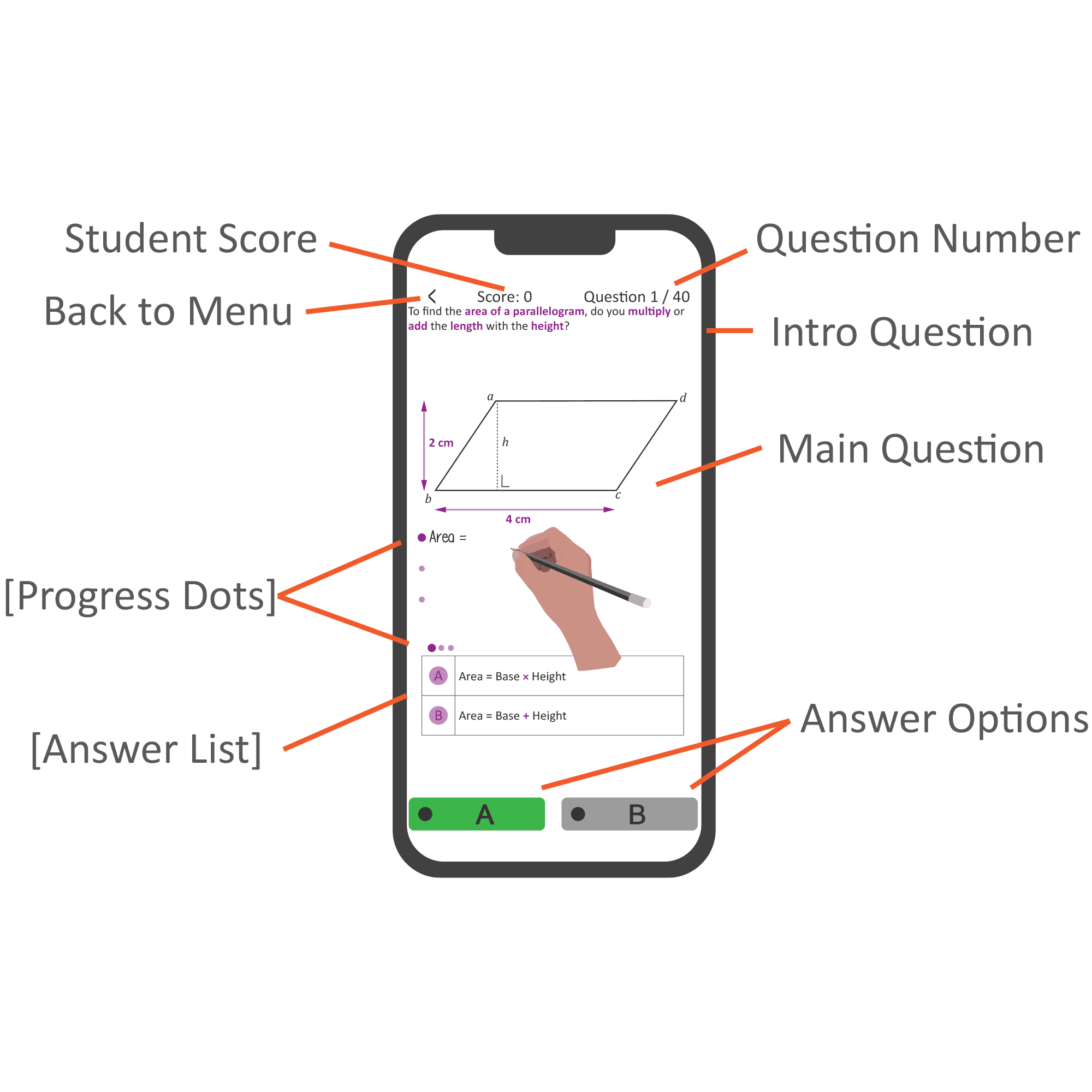
Every Phlow uses the same underlying interface structure. This consistency is deliberate.
When students don’t have to relearn the interface, they can focus entirely on the thinking required for the decision.
At its core, the Phlow interface is built around three primary elements: the Intro Question, the Main Question, and the Answer Area.
The Intro Question
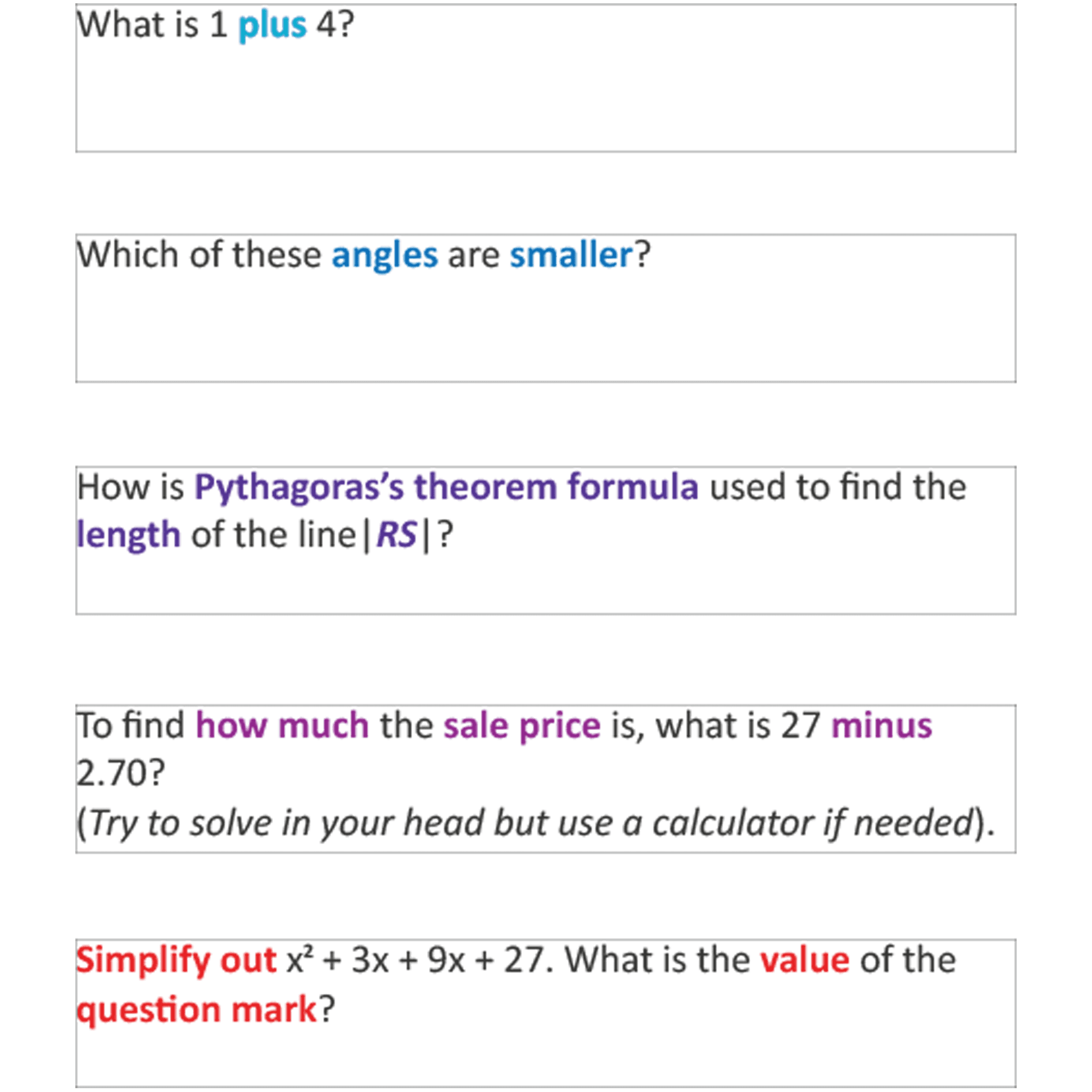
The intro question appears as short text at the top of the screen. It is limited to a maximum of three lines and exists for one purpose: to orient the student.
Its role is not to test reading comprehension or introduce unnecessary complexity.
The language is deliberately simple, clear, and direct, guiding the student toward what they are being asked to decide.
In future releases of Phlow Academy (beyond the current MVP), this intro question may also be read aloud, allowing students to keep their visual attention on the main question while receiving additional context through audio.
This supports focus without increasing cognitive load.
The Main Question
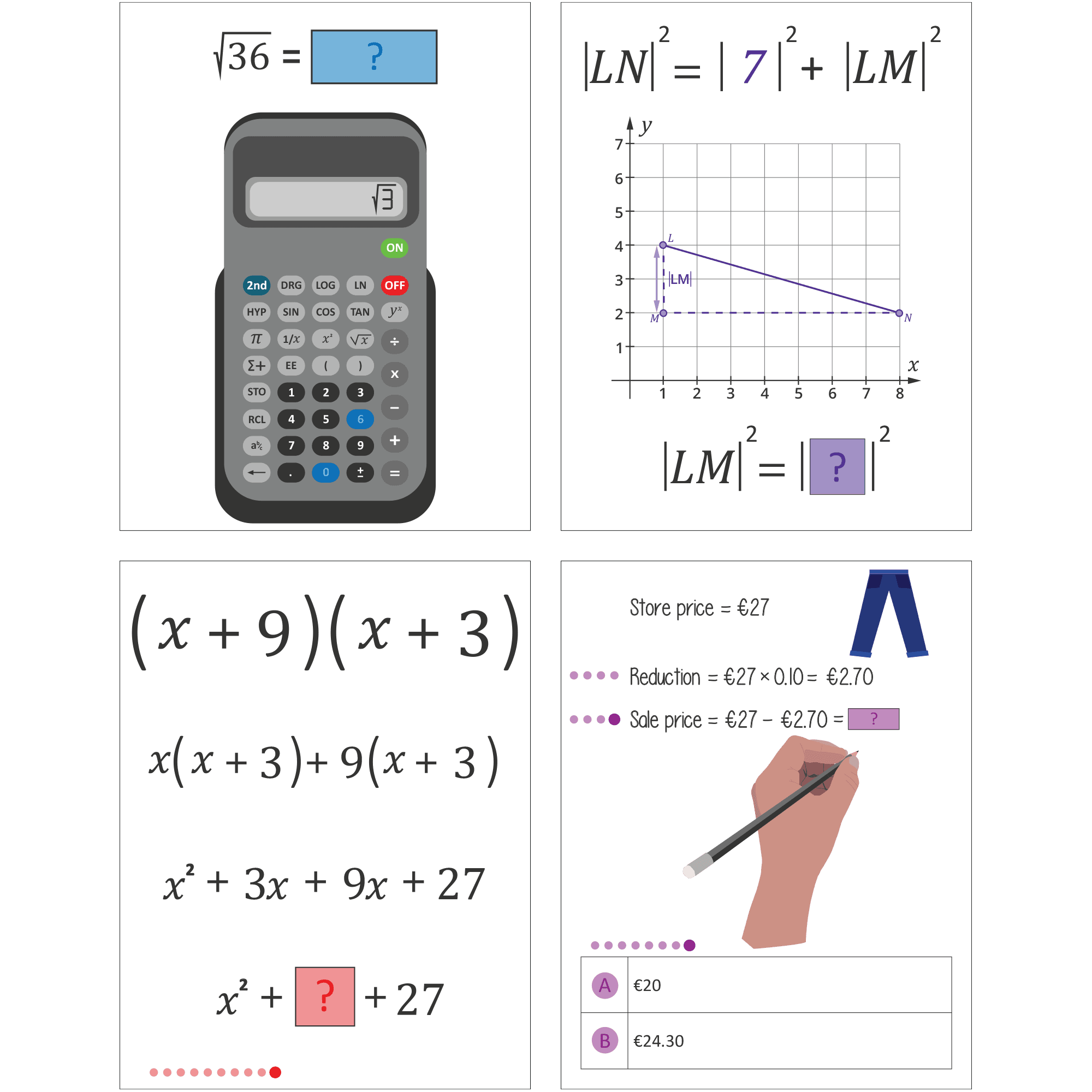
The main question is the visual and cognitive focus of the Phlow. It occupies the majority of the screen and is designed to be as clear and expressive as possible.
This area can present many different kinds of questions: diagrams, numbers, algebra, graphs, tables, constructions, or patterns.
For many Phlows, this is the only part of the screen the student needs to engage with in order to reason effectively.
It is intentionally highly graphical, reducing reliance on dense text and allowing students to “see” the problem rather than decode it.
If a Phlow were a meal, this is the main course.
The Answer Area
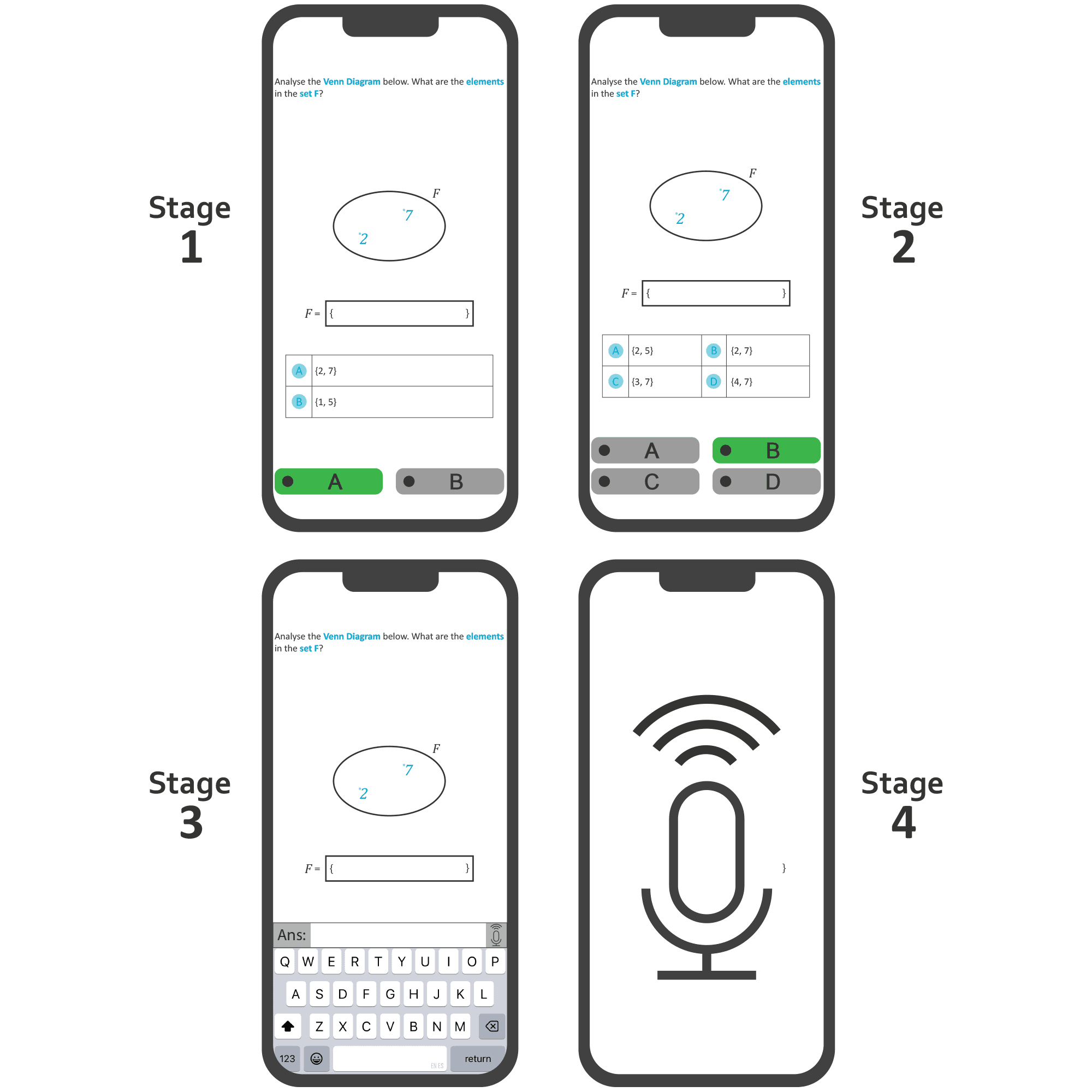
At the bottom of the screen is where the student responds to the decision.
How the student answers depends on the stage of the Phlow. In earlier stages this involves selecting between options, while later stages require typing, voicenotes or conversing.
Regardless of format, this area represents the moment of commitment: the student chooses how to respond to the decision presented.
Supporting Interface Elements (Top)
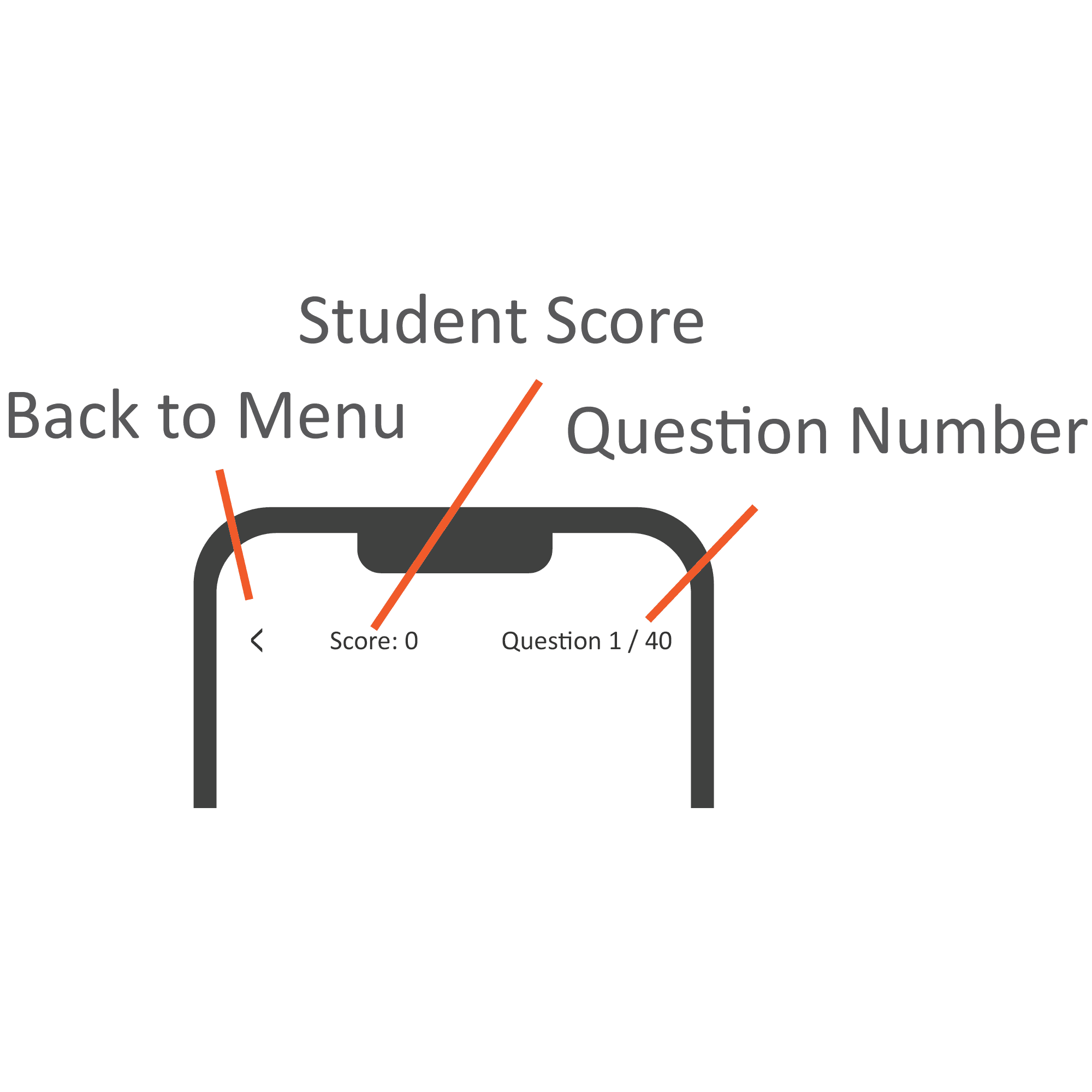
Back to Menu allows the student to exit the Phlow and return to the previous screen at any time. This reinforces a sense of control rather than obligation.
Student Score displays the score accumulated within the current Phlow. This provides lightweight feedback without dominating attention or encouraging performance anxiety.
Question Number shows the current decision number and the total number of decisions in the Phlow. This helps students pace themselves and reduces uncertainty about how much remains.
Supporting Interface Elements (Bottom)
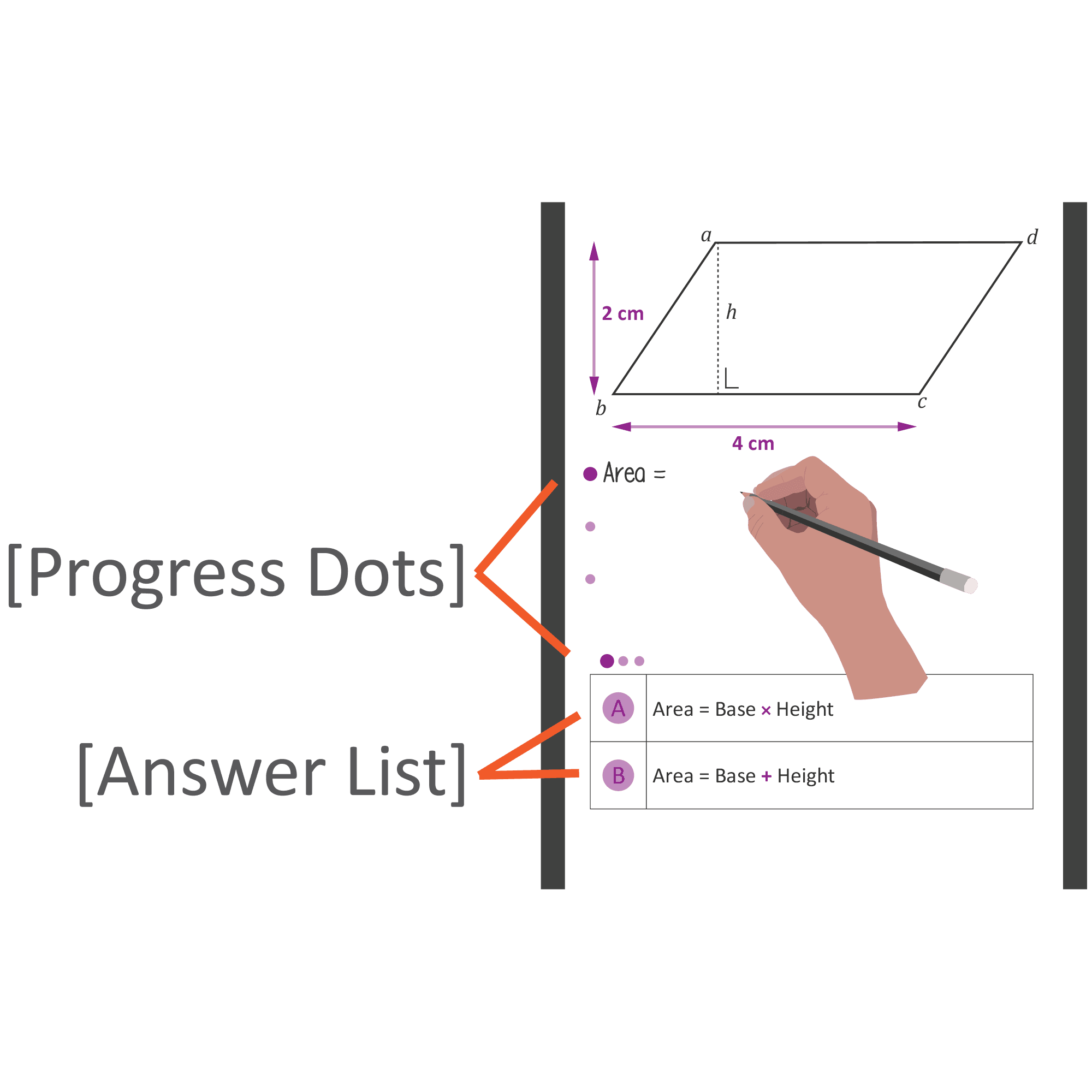
Progress Dots are a visual indicator of progress through a question or sequence of decisions. Different shades indicate how far the student has progressed, reinforcing momentum without pressure.
Answer List clarifies what each selectable option (A, B, etc.) represents. This ensures decisions are based on reasoning rather than guessing what a button corresponds to.